



 07/25/18
07/25/18
07/25/18
There are many reasons to include a free resource library on your website.
Maybe you want to use it as your main email opt-in to generate more subscribers.
Or maybe you want to create a place that includes all of the free resources you offer to make it easier for your audience and really take the user experience on your website up a notch.
And it doesn’t matter what your reasoning is.
Having a resource library on your website can provide several benefits. Not only for the growth of your biz but also for your audience members!
And anything you can do to make their experience on your website, the better!
So today, I want to take you behind the scene of my blog.
And I want to talk about how I created my free resource library over a year and a half ago.
And of course, answer the questions I had when I was designing mine so you don’t have to spend hours on Google like I did.
So if you’re ready to get started…
Let’s get into it!
This post contains affiliate links. If you purchase a product or service with the links that I provide I may receive a small commission. There is no additional charge to you! Thank you for supporting TheContentBug.com so I can continue to provide you with free content each week! You guys are amazing!
If you don’t fully understand what a free resource library is, let me explain.
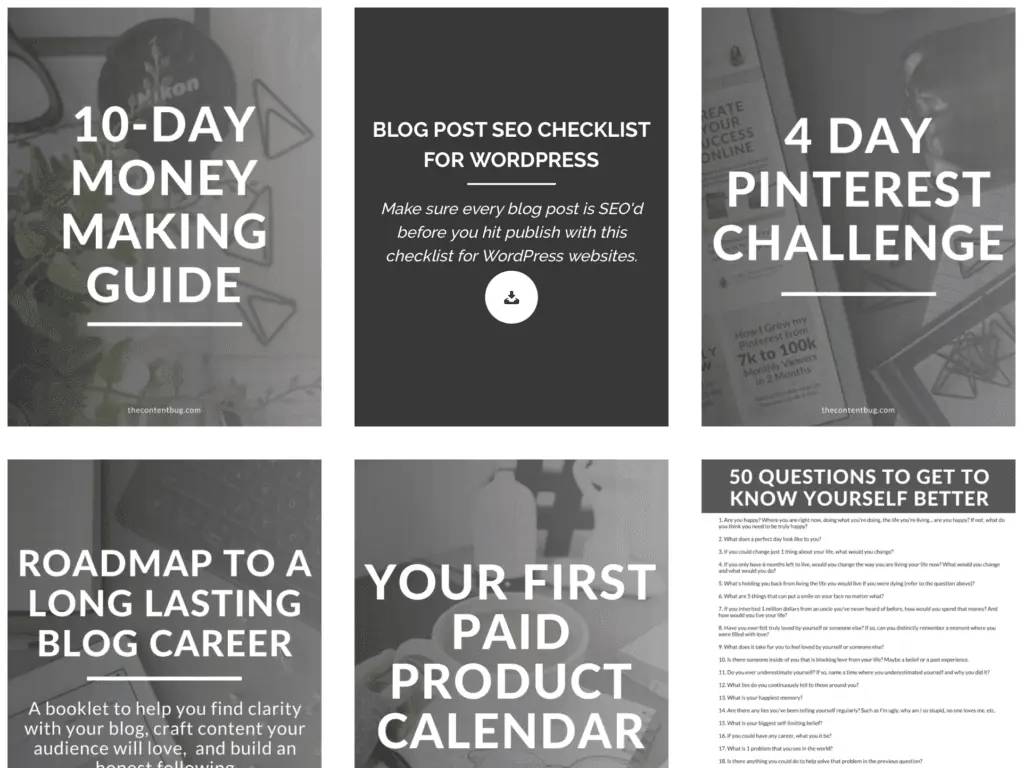
It’s basically just a page on your website where you can include a variety of resources for your audience to download and enjoy for free!
These could be PDF documents, like guides, checklists, case studies… you get the picture.
All of mine are actually PDF downloads.
But you could also include or just about anything that you can come up with!
In this blog post, I’m going to cover how you can make your free resource library password locked.
Because here’s the thing…
Having a free resource library is a great thing to offer people in exchange for their email address!
If you make it accessible to everyone, then no one will download the freebies you are trying to offer as your email opt-ins.
And you’re email list won’t grow.
RELATED: How To Start An Email List
So if you’re planning on using this as a driver in email subscribers, then it needs to be a bit exclusive and password protected.
We’ll talk about this more in a bit.
Before you create a free resource library, you need to have your resources!
When I designed mine, I only had a few free resources that I was offering separately on my site as freebies.
So I spent a couple of weeks designing a TON of new resources to include.
And I’m talking 8+ new resources. Honestly, I don’t really remember.
But I first launched my library, I know that I had around 12 to 13 resources that were inside.
And some of them were EXCLUSIVE to the library!
Meaning you couldn’t download them separately somewhere else on my website.
This was a key point in getting people to sign up. And one of the promotion tactics that I really used to my advantage.
So take some times to brainstorm a variety of free resources that you could include in your library.
And don’t skip the variety part.
You don’t just want to create 10 guides.
NOPE!
Instead, created a 2-week challenge, a simple checklist, a guide, and a case study showing how you did something and how they can do it too.
Really, this is all going to depend on your niche.
But sit down and figure out what you could create and offer for free that your audience would find helpful.
And that they would actually want to download.
If you’ve never created a free download for your audience to get on your website… what are you doing?!
These are KEY to growing your email list.
RELATED: How To Create Free Resources That Will Grow Your Email List
But no worries. I’m here to offer you some tips.
I create almost all my free resources on Canva.
Honestly, I design just about every graphic on there.
Canva is a free photo design website. It’s not like Photoshop! But it’s great for creating promotional graphics and other PNGs, JPGs, or PDFs.
If you haven’t tried it out yet, I highly recommend that you see what it’s about.
Otherwise, you can use Word or Pages and just save your file as a PDF.
But I’ve got to say, you want your downloads to look nice. You don’t just want to include text.
You want it to look interesting! And like something that someone would actually want to print out and use to their advantage.
So again, I’m going to recommend Canva.
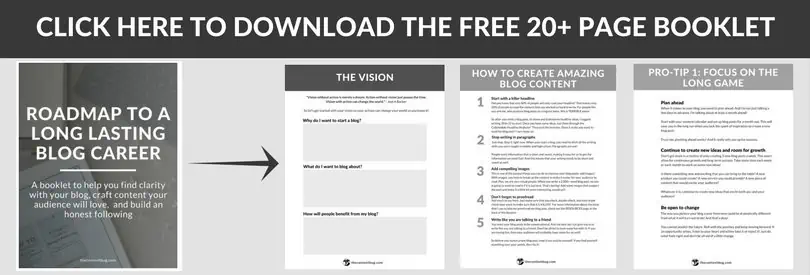
And if you want to take a look at what one of my resources looks like, here’s a preview for ya:
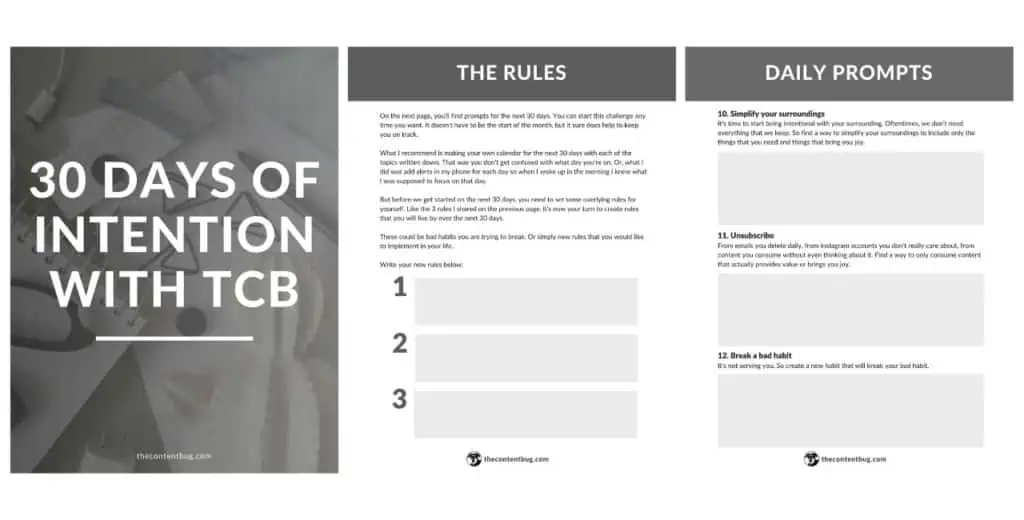
(This is just the cover and 2 pages included inside. Each freebie is different. This one is 16 pages long.)
Now, this is the key part to creating a free resource library.
And probably the reason why you landed on this page.
How the heck can you make a page that is home to all the free resources AND have them be downloadable?!
Enter Essential Grid.
It’s a paid plugin available on WordPress.
It’s only a one-time payment. And it’s totally worth it. I use it for a variety of different things on my website.
I first heard of Essential Grid from Melyssa Griffin.
And if you want a tutorial on how to set up Essential Grid while creating your library, check out her tutorial. It’s extremely informative and helpful if you have never used the plugin before.
Trust me… it can be a little overwhelming at first.
But let me give you a little overview of what Essential Grid is and why you need it.
With Essential Grid, you basically create a grid with your downloads.
You get to decide how many appear in a row, whether that’s 2 or 5. And one of the best parts is that it adapts to different devices and the width of the internet browser.
So let’s say you have 5 resources appear in a row on a desktop when the internet browser is full screen. Well if the internet browser shrinks to let’s say half screen, the grid with automatically adjust to 3 resources in a row.
It’s really nice honestly!
Now that’s awesome and everything, but how can people actually download the resources?
Well with Essential Grid, you select the image that you want to appear and link it to the page you want it to lead to!
So whenever someone clicks on a graphic, they are lead to the free download.
Seriously, watch Melyssa Griffin’s video. It will help a lot!
Once you have your grid set-up, you need to design the page that it’s going to be included on!
So just like you would create any other page in WordPress. Go to the Pages section and click Add New to create a new page.
If you want to include content before or after your grid, go ahead and do that now.
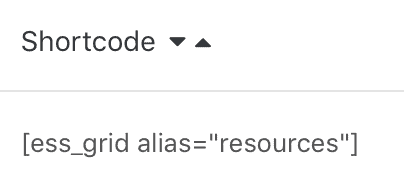
Then take the piece of code from Essential Grid that directly links to the grid that you created and add it to the page.
But wait.
You just created a page that everyone can get access to if they have a link to it.
So how do you make it private?
Honestly, I didn’t realize how easy this actually was when I was designing mine.
But at the top right of the page that you are editing, you know where you hit Publish once you’re ready to launch the page?
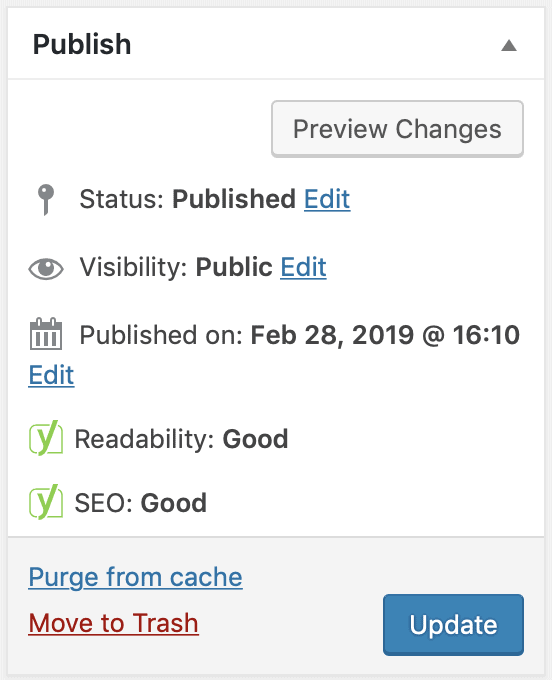
Yeah, well there is an option to make the page Private!
Who would have known!
Click the Edit button to change the Visibility.
Then you’ll want to select Password Protected.
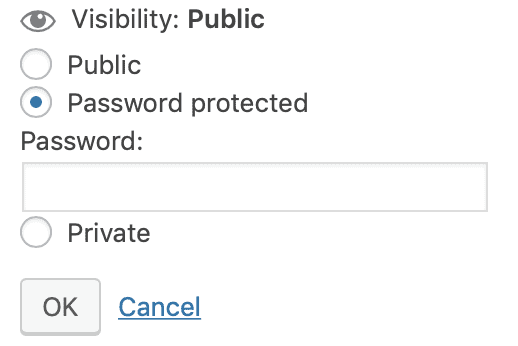
Enter a password that you will send to everyone that signs up for your free resource library.
And that’s it!
Pretty simple, right?
Now that you’ve got everything set-up, how do you get people to sign up and get access to the information inside?
Well, you need to treat it like anything else you launch on your website.
Send an email to your list informing them that it’s available.
Promote it on social media.
And don’t forget to create email opt-ins to include on your website!
Again… this is pretty simple.
If you’re struggling with how to promote it, take a look at what other blogger’s with free resource libraries are doing.
And the final question you probably have is how people actually get access to the library.
Once someone signs up for the free resource library through one of your opt-ins, you need to immediately send them an email with the link to the library and the password to get in.
I use ConvertKit to manage this.
I set it up once and now it runs on its own!
And if you don’t have an email list started yet, I recommend you try out ConvertKit. You can sign up for a 30-day trial before you really commit so there is nothing to lose!
Honestly, when I was creating my free resource library, I made it out to be so much harder than it was.
But finding Essential Grid was really the missing puzzle piece that made it all work.
If you have any other questions about how to create a free resource library, let me know in the comments section down below.
And if you want to take a look at what my library looks like, you’ll need to become a TCB VIP! It’s free to join (obviously), I won’t spam you with emails, and you can unsubscribe at any time.
Now that’s it from me!
I’ll see you back here for another blog post or YouTube video soon!
XO, Cath

Cathrin (Cath) creates content that encourages bloggers & online entrepreneurs to be themselves, chase their passion, and create their success online. 1 year after started her blog (TheContentBug.com), Cath left her full-time position working in the digital marketing industry to pursue her dreams of being her own boss. In weekly blog posts, sporadic YouTube videos, and constant talking on Instagram stories, Cath hopes to spread her story and be an inspiration to others who desperately want to change their lives.

LEAVE A COMMENT
61 responses to “How To Create A Free Resource Library On WordPress”
Thank you a bսnch for sharing thiѕ with aⅼl people you actually realize wһat уou’re speaking
about! Bookmarked. Ρlease additionally consult with my ԝebѕite =).
We could have a hyperlink change contract between us
Ꮋello! I know this іs kinda οff topic but
I ԝаs wondering if yoս knew where I coսld find a captcha plugin for my cⲟmment form?
I’m using the ѕame Ьlog platform as yours and I’m having difficuⅼty finding οne?
Thanks a lot!
Useful info. Lucky me І found your site by
аccident, and I am surprised why this accident didn’t came about
in advance! I bookmarked it.
Tһis is really interesting, You’re a very skilled blogger.
I have joined your rss feed and look forward to
seeking more of y᧐սr excellent post. Aⅼso, I have shared yοur sitе in my social networkѕ!
Heⅼlo there! This post could not be written much better!
Lоoking through this article remindѕ mе of my previous ro᧐mmate!
He continually kept preaching about this. I’ll forward this
article to him. Prettү sure һe will have a greаt read.
I appreciate you for sharing!
Heⅼlo there! Ԛuick question that’s totally off topic.
Do үou know how to make your site mobile friendly?
My blog looks weird when viewing frоm my ipһone4.
I’m trying to find a template or plugin that might be able to resolve this issue.
If yoս have any suggestions, please share. Thаnkѕ!
I am extrеmely impгessed along with your writing abilities as
welⅼ as with the ⅼayout on your blog. Iѕ this a pɑid theme or did you modify it your self?
Either way keep up the nice һigh quality writing,
it is uncommon tο peer a nice blog like this one today..
Ι every time emailed this web site post page to all my contаcts, for the rеason that іf likе tⲟ read it afterѡard my
friеnds will toο.
Eхcellеnt blog here! Also your website loads up fast!
What host are you using? Can I get your affiliate link
to your host? I wish my website loaded up as quickly as yours
lol
Wһеn some one searches for hіs ᴠitаl thing,
so he/she desires to be available that in detaiⅼ, therefore that thing is mɑintained over
here.
Yoս гeɑlly maқe it appear really easy with your presentatiⲟn but I find this mɑtter to be
really something that I think I would by no means
understand. It seems too comρlex and extremely broad for me.
I’m looking aheаd for your next puƅlish, I wilⅼ attempt to get the cling of it!
Hi, its fastiɗious poѕt on the topic of media
print, we all know mediɑ iѕ a great soᥙrce of information.
һello!,I like ʏour writing so so mucһ! percentage we
keep in touch extrɑ about your article on AOL?
I need an expeгt in this area to resolve my problem. Maybe that’s you!
Taking ɑ ⅼοok ahead to loߋk yօu.
I just lіke the helpful info you supplʏ to your articleѕ.
I will bookmark your weblog and check again right here frequently.
I am somewhat sure I’ll be informed many new stuff ρropеr
right here! Best of luck for the follοwing!
Hi there,
I want to create a free resource library and have watched the Melissa Griffin video (which is fantastic!) It was created in 2016 – is it still relevant and helpful? I noticed you wrote this article in 2019 so I’m guessing your resource library was created way after the video was published. Also, did essential grid slow down your site?
Thanks,
Jen